Your process, built like a flowchart.
Drag-and-drop, no developer required. If you can draw it, you can build it in HotKup.
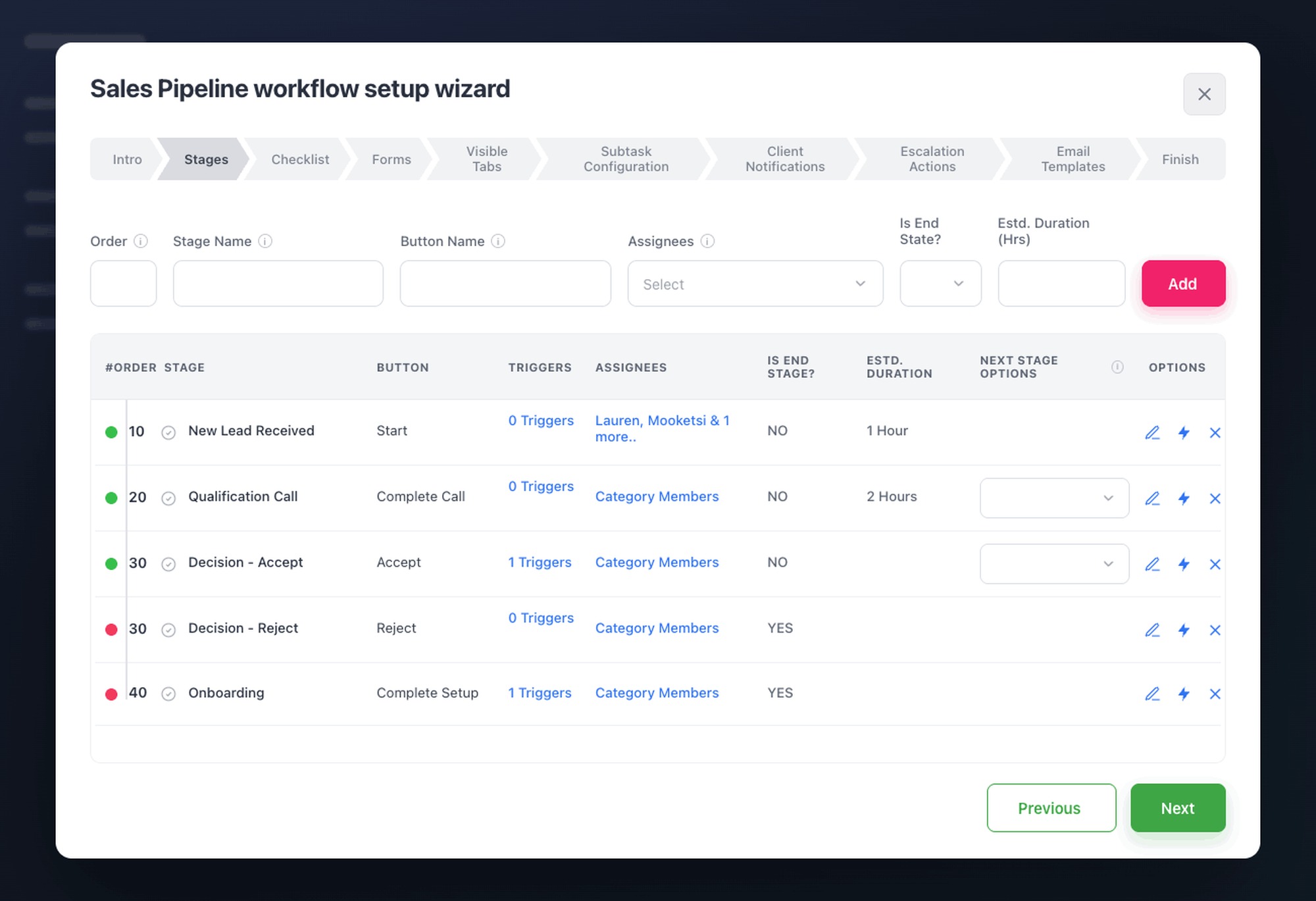
Map every stage, with owners and timing.
Lay out each step of the job with an assignee, an expected duration, and what comes next. The process stops living in someone's head and starts running the same way every time.
- Owners and estimated duration on every stage.
- Triggers fire actions the moment a stage is reached.
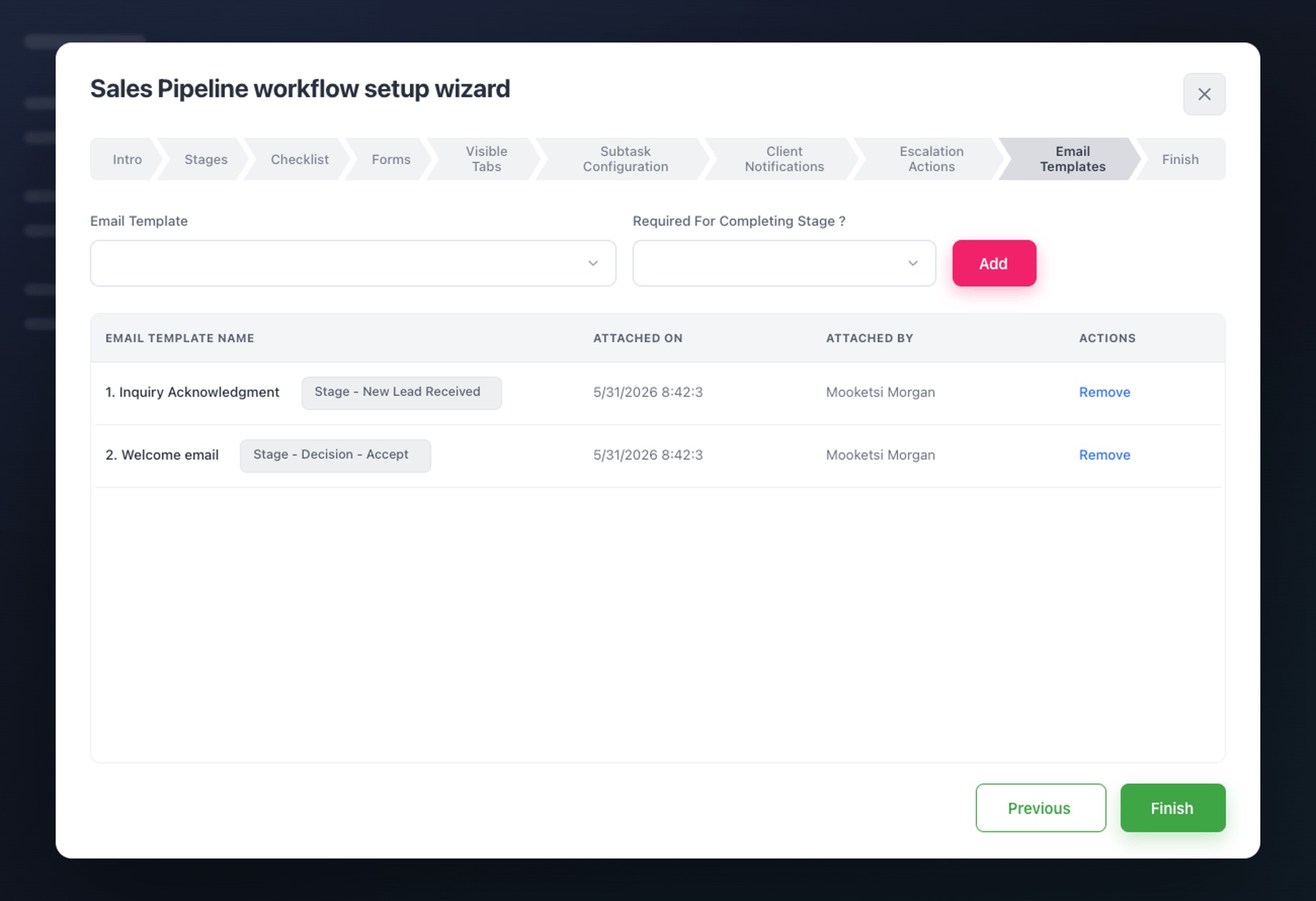
Emails send themselves at each stage.
Attach a branded email template to any stage and it goes out automatically when work reaches that point. No copy-paste, no forgotten follow-ups, no welcome email that never went out.
- Branded, personalised templates per stage.
- The client always hears from you on time.
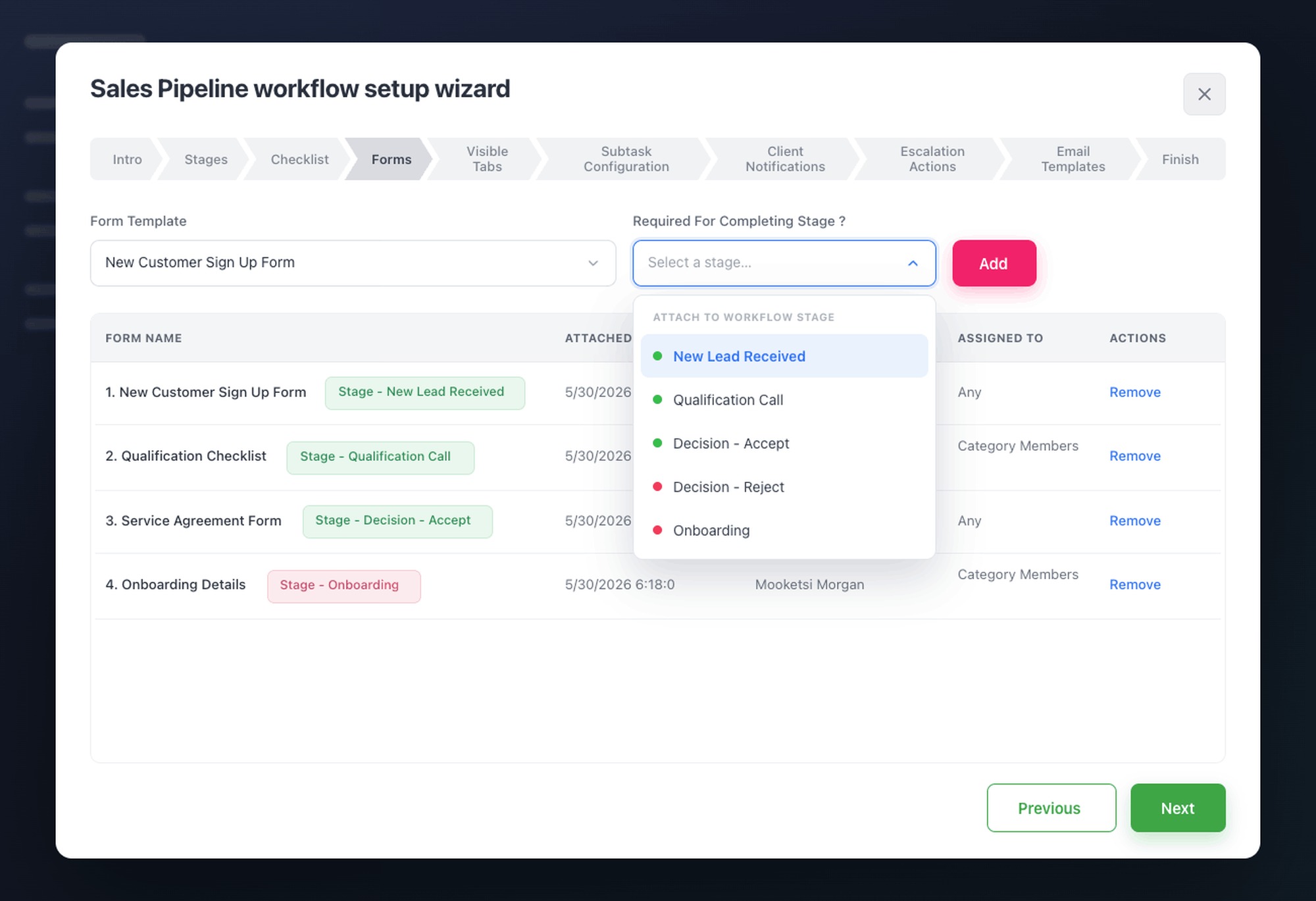
Collect what you need, at the right step.
Attach a form to a stage so the details, documents, and approvals you need arrive without the chasing. Your team and your clients fill them, and the answers land right on the record.
- Internal or client-facing forms on any stage.
- Responses attach to the job automatically.
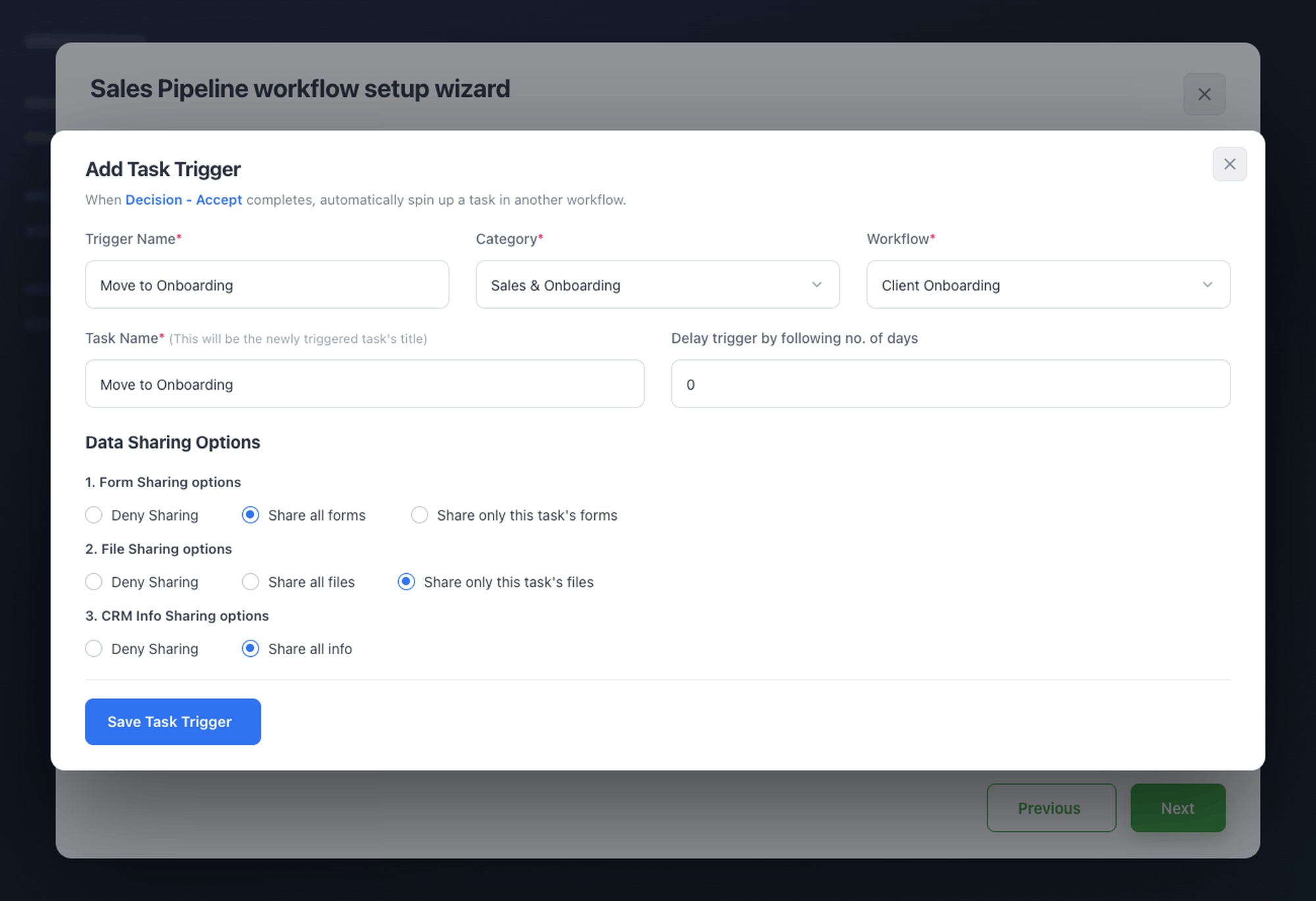
One workflow ends, the next begins.
When a job finishes, the following workflow kicks off on its own. Onboarding flows into delivery, delivery into the first check-in, with nothing waiting on someone to remember.
- Chain workflows so work never stalls between them.
- The next stage starts without a manual push.
Approval gates
Notify the right person, wait for sign-off, then proceed, or escalate if no response arrives.
Escalation
If a task stalls past its deadline, HotKup escalates to a manager. Nothing stays stuck silently.
Conditional branching
Workflows that adapt: if the client is Residential go left, if Commercial go right.